# How do I connect to RocketChat?
---
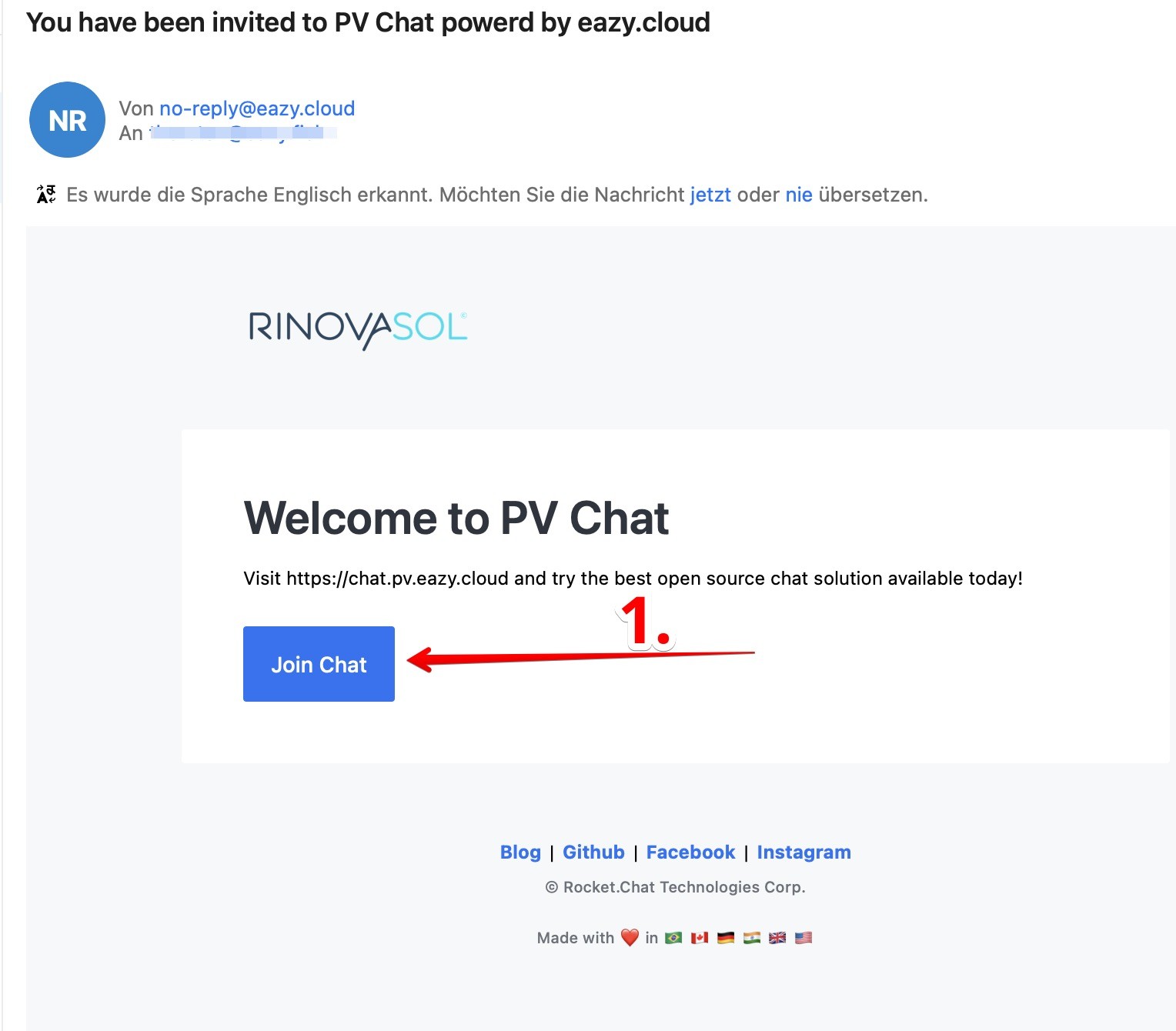
##### To connect to a RocketChat server through a web browser, enter the desired server address in the browser's address bar such as [https://chat.pv.eazy.cloud](https://chat.pv.eazy.cloud).
---
---
#### **Step 01**
##### **Via Mail:**
[](https://wiki.pv.eazy.cloud/uploads/images/gallery/2022-04/rc01.jpg)
---
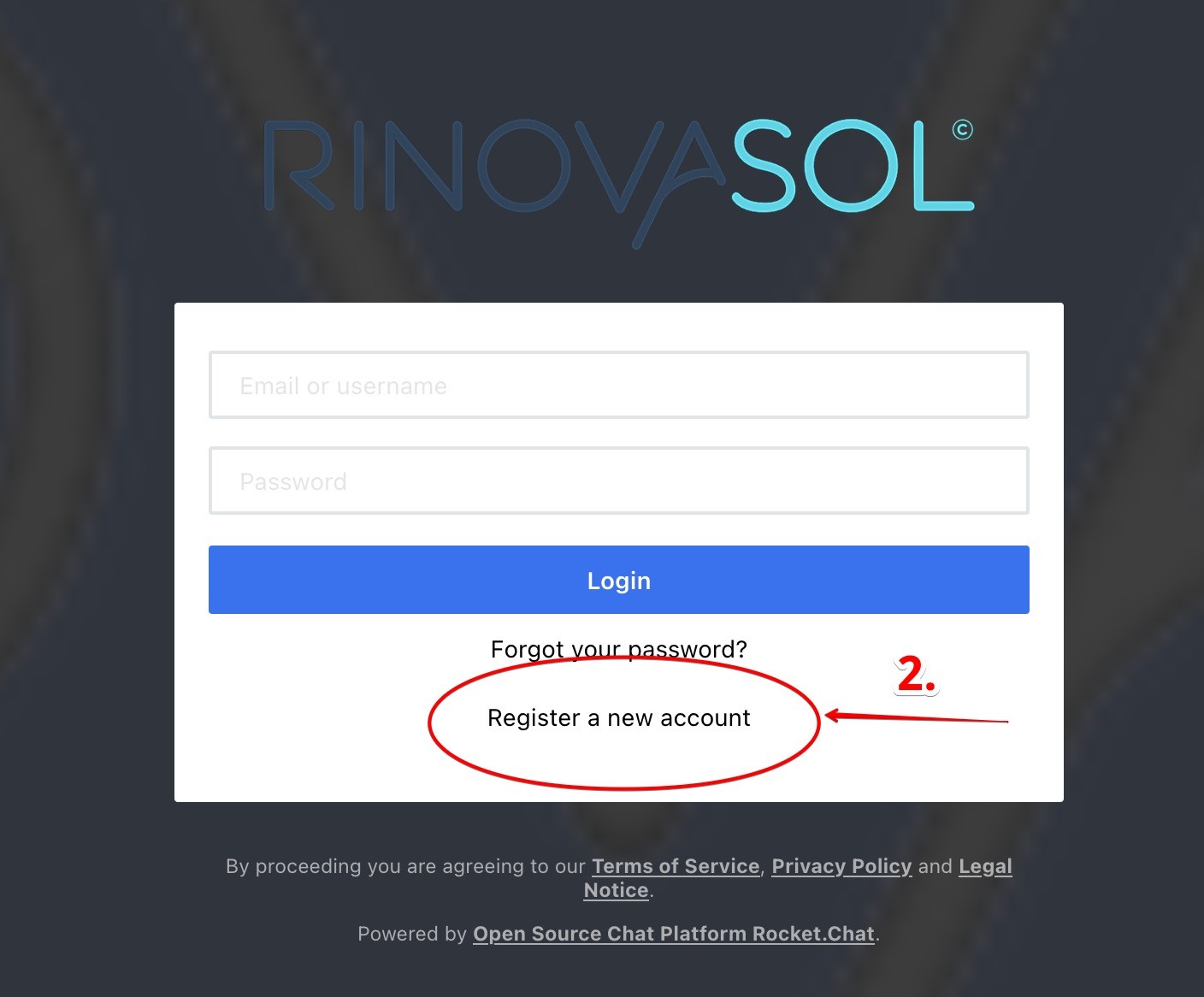
#### **Step 02**
[](https://wiki.pv.eazy.cloud/uploads/images/gallery/2022-04/rc02.jpg)
---
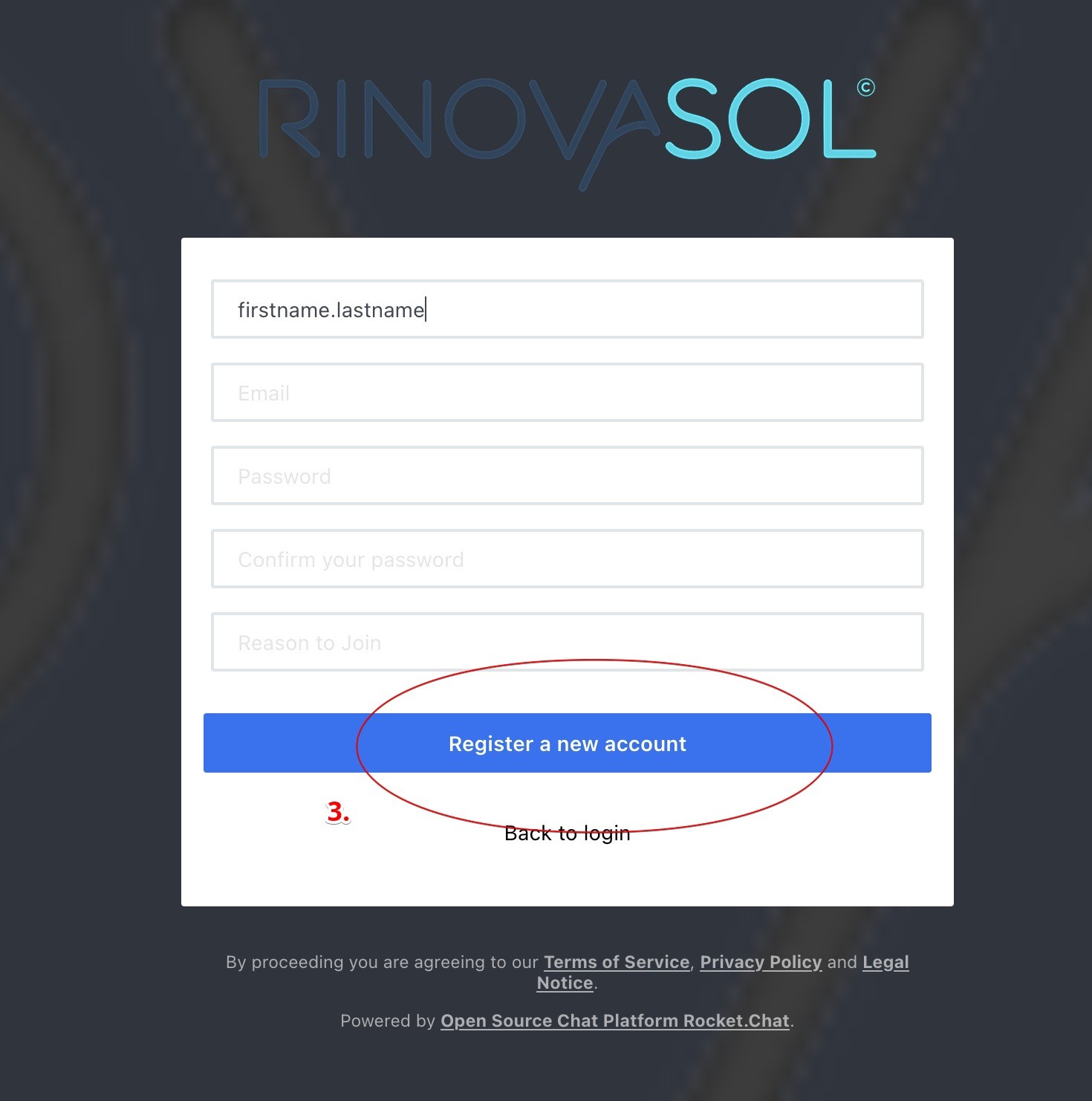
#### **Step 03**
[](https://wiki.pv.eazy.cloud/uploads/images/gallery/2022-04/rc03.jpg)
---
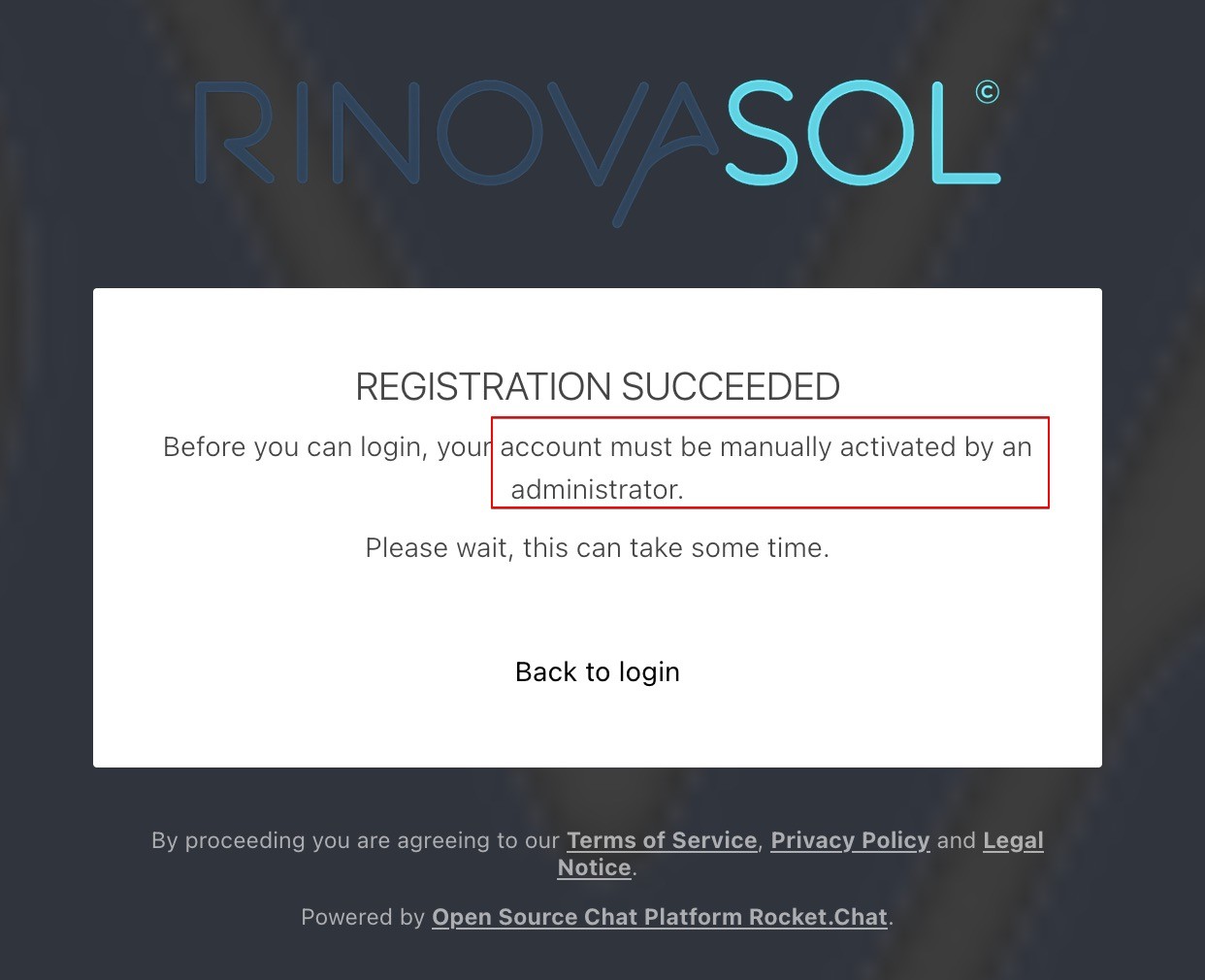
#### **Step 04**
[](https://wiki.pv.eazy.cloud/uploads/images/gallery/2022-04/rc04.jpg)
#### **Please wait until an Administrator has to activated your account!**
---
#### **Step 05**
**[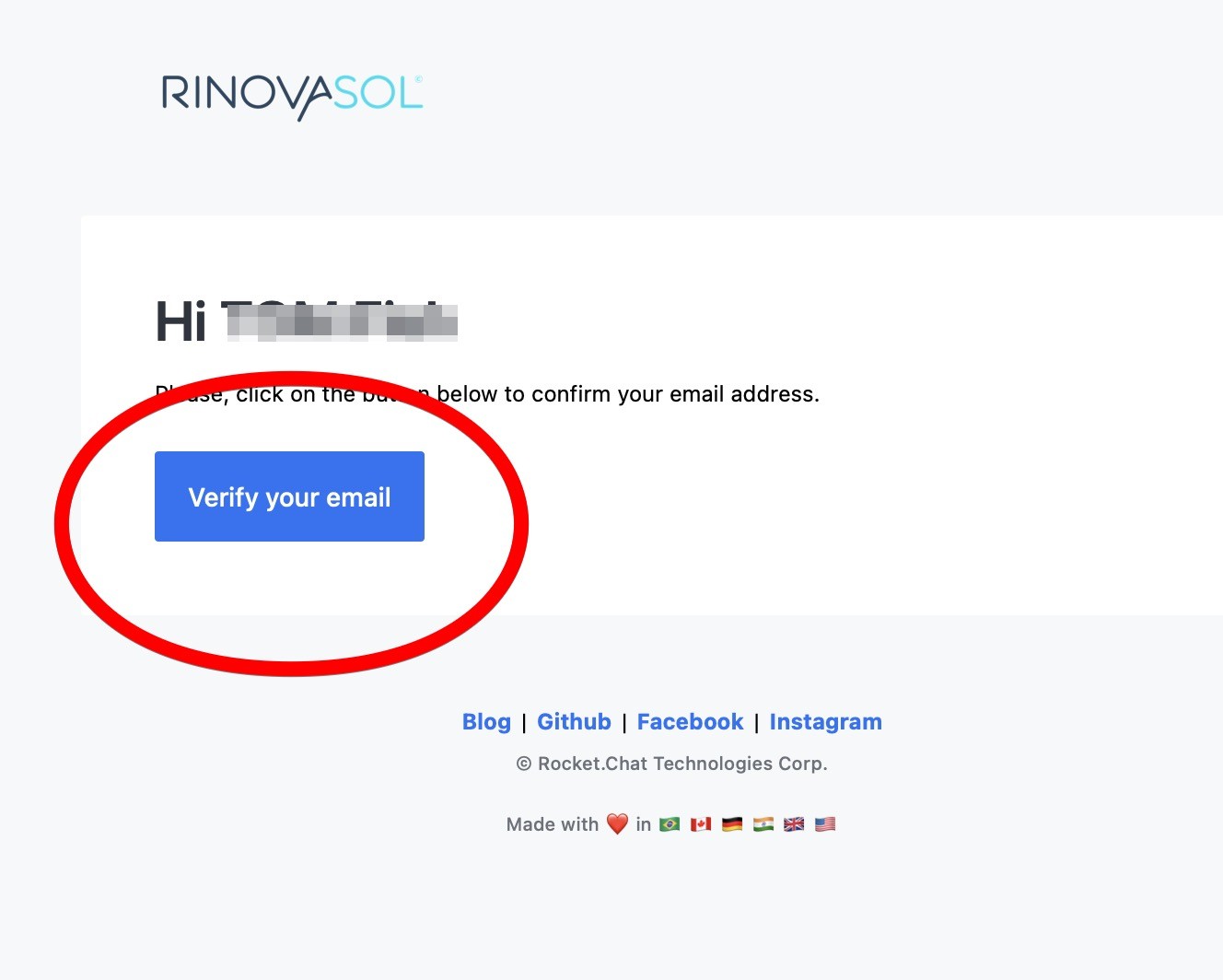](https://wiki.pv.eazy.cloud/uploads/images/gallery/2022-04/rc05.jpg)**
---
---
### next Step:
### Rocket.Chat desktop & mobile apps -> [Link (Click me)](https://www.rocket.chat/download-apps)